Smart Laundry Management for Filipino Business Owners

Mas madaling laundry operations. Mas organized na negosyo.

Pagod ka na bang maglista ng laundry orders sa notebook? With AQUAWASH, mas madaling i-manage ang orders, customer transactions, at daily operations ng laundry shop mo.

App preview from the Android project. Store and license setup is being verified.

Orders, customers, payments, and reports in one offline-first app
Shop overviewToday’s operations
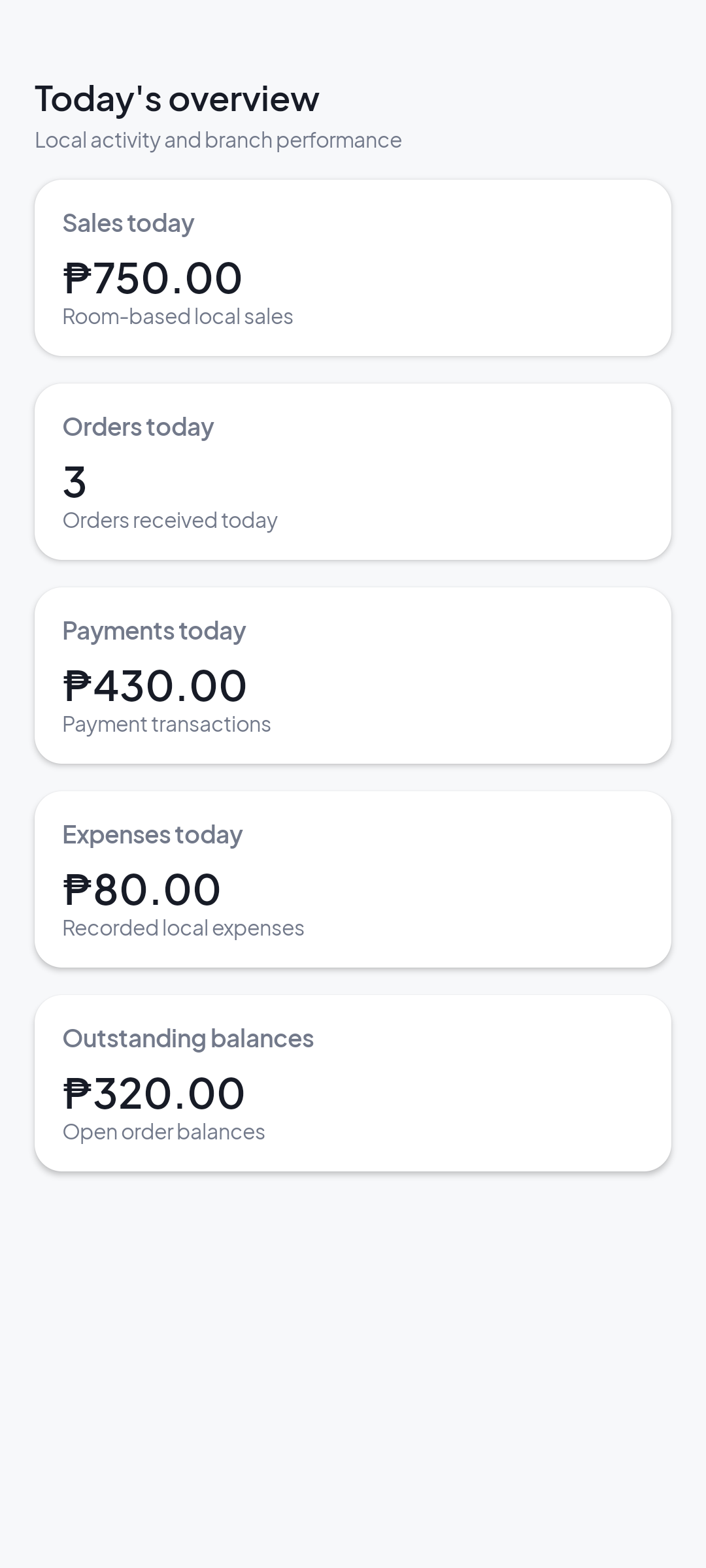
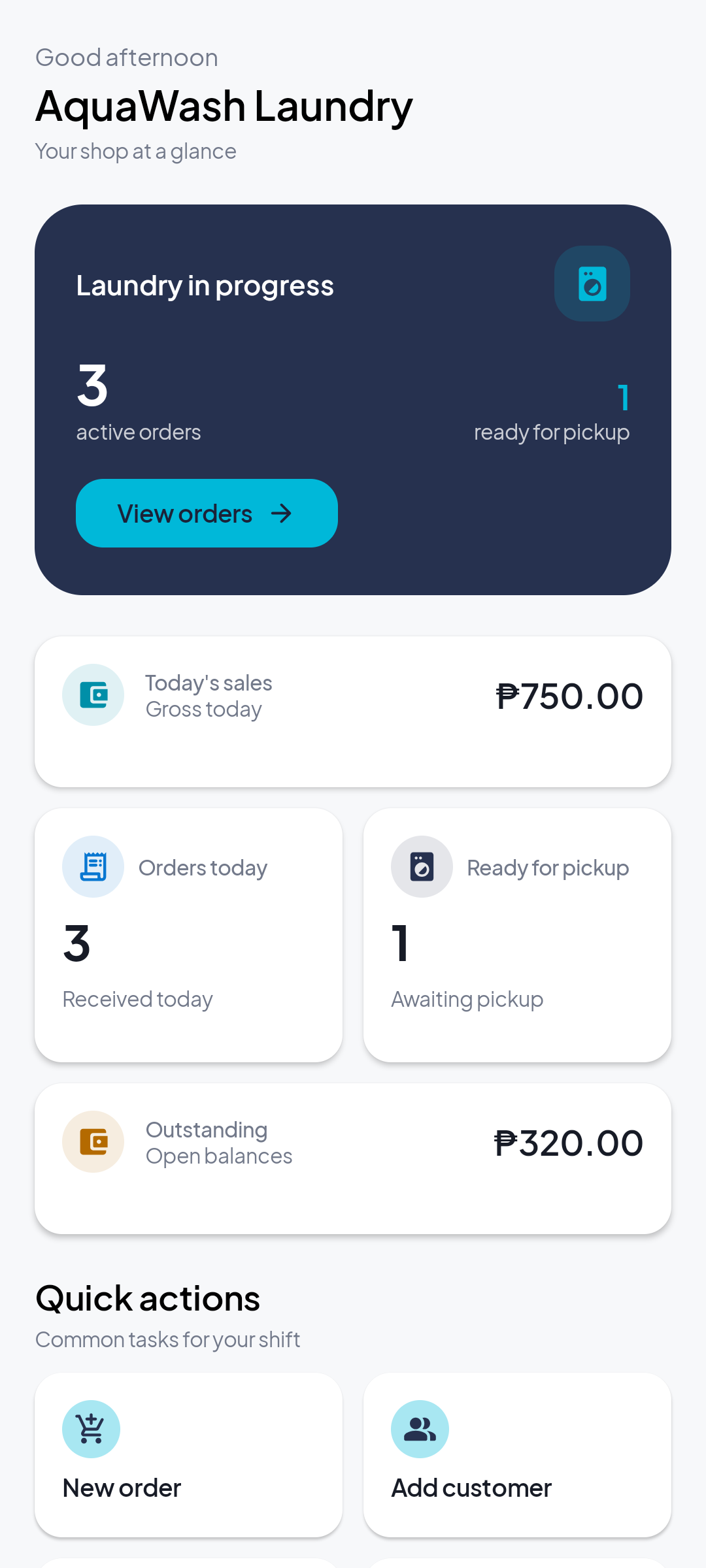
Sample AQUAWASH dashboard preview showing order counts, sales, and outstanding balances
Order queueReady for pickup · sample data
Illustrative app preview · sample records
Explore AQUAWASH
Built for Android
Minimum requirement: Android 8.0 (API 26)Offline-first local records

Common shop challenges

Maraming laundry orders? Hindi kailangang maging magulo ang operations.

Kapag busy ang shop, mas madaling makaligtaan ang details. AQUAWASH puts everyday records in one place on your Android device.

01

Magulong order tracking

May mga laundry na pending, ready for pickup, o hindi pa na-claim. Mahirap i-track kapag notebook lang ang gamit.

02

Manual sales computation

Every closing time, kailangan pang balikan ang transactions para malaman ang daily sales at open balances.

03

Customer payment confusion

Fully paid na ba? May balance pa ba? Kapag handwritten, madaling malito sa records.

04

Scattered business records

Orders dito, customer details doon, payments sa ibang notebook. Ang hirap maghanap kapag hindi organized.

Make everyday laundry operations easier with AQUAWASH.

Made for the daily grind

Tools for the work your laundry shop does every day.

Practical workflows, focused on the tasks owners and staff handle from opening to closing.

Stay on top of each load

Laundry order management

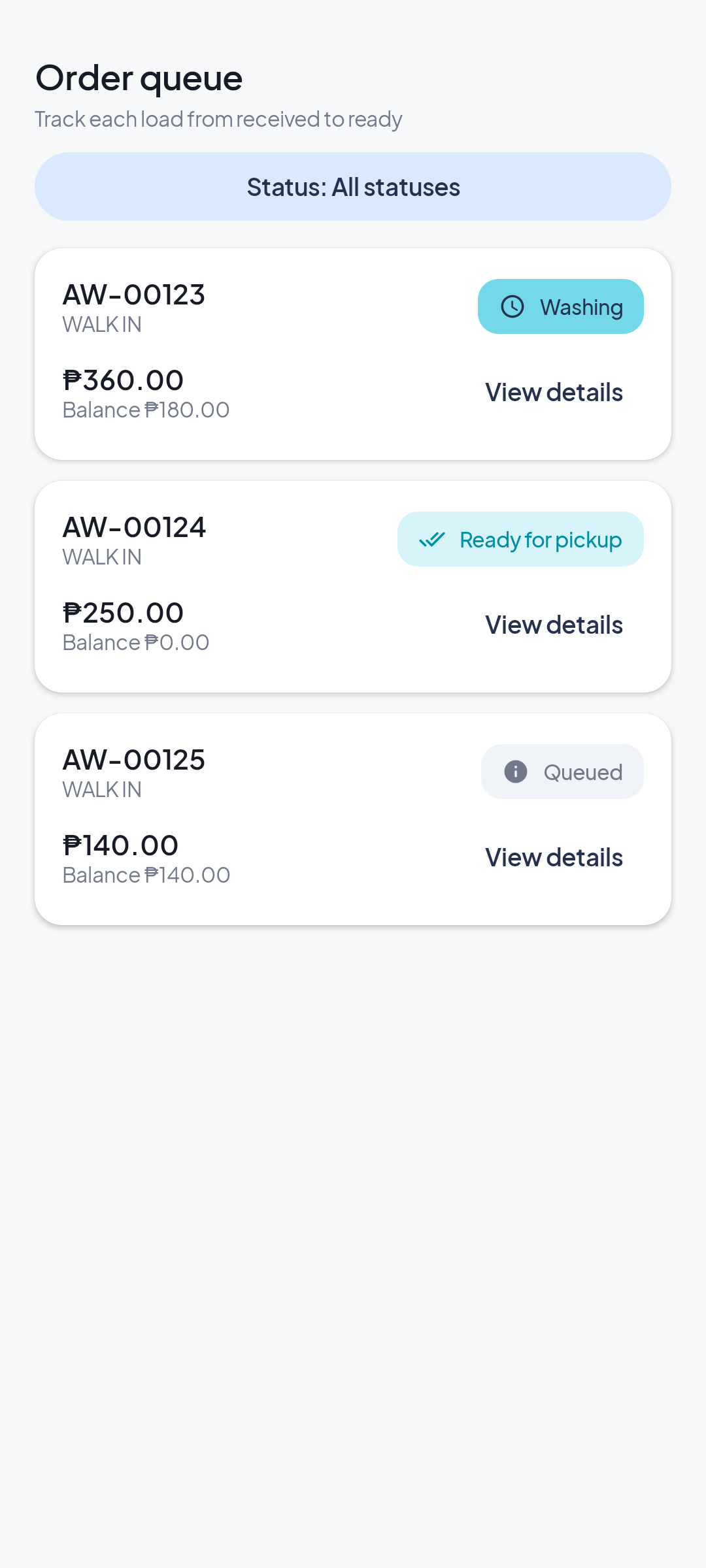
Track each order from received to washing, ready for pickup, and completed. Check order status and remaining balance in the queue.

  • Order status and history
  • Service, add-on, and retail details
  • Pickup and delivery scheduling
Explore all features
AQUAWASH order queue screen preview with order statuses and balances
AQUAWASH app preview · illustrative sample data

Keep customer details close

Customer records & history

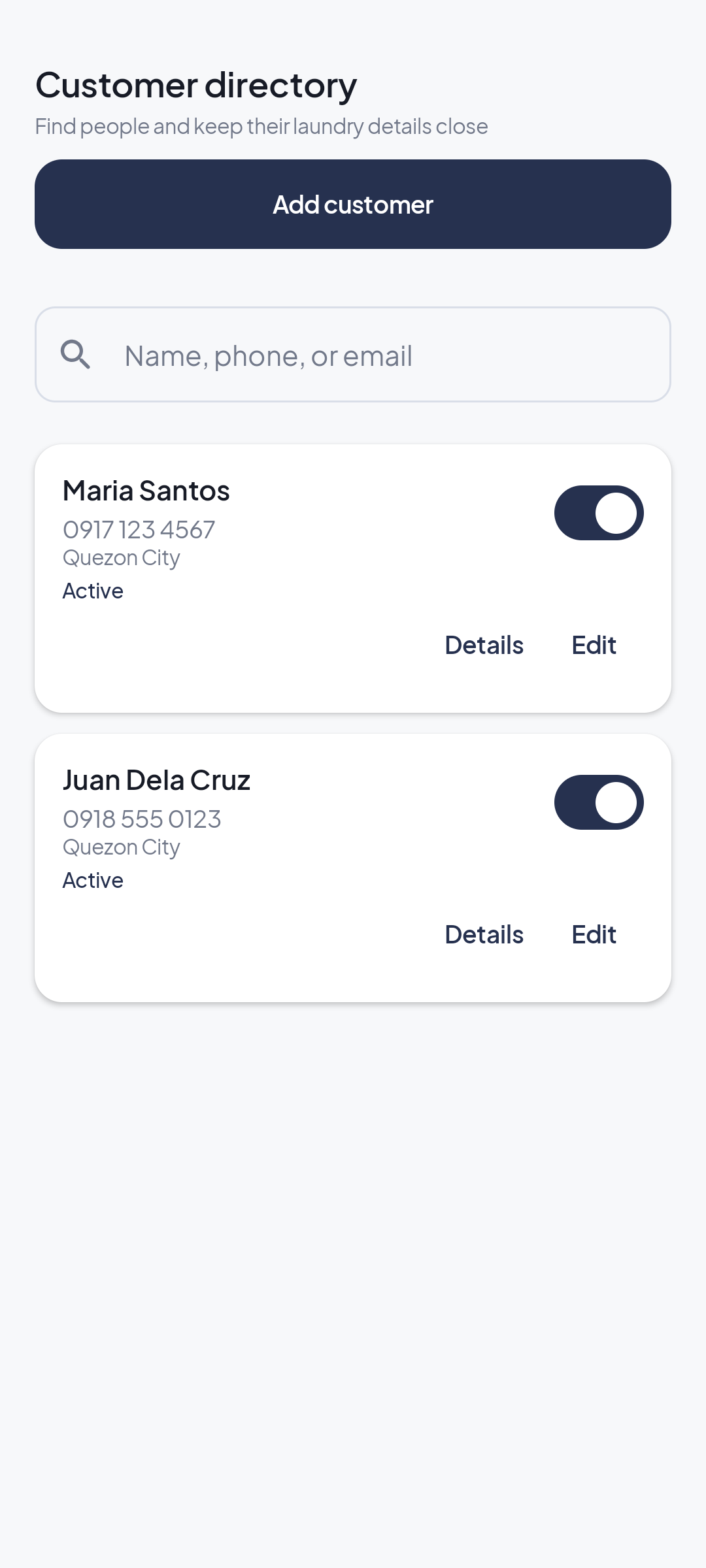
Find customer details by name, phone, or email. Review past transactions from the customer record.

  • Searchable customer directory
  • Contact and address details
  • Linked transaction history
Explore all features
AQUAWASH customer directory preview with sample names and phone numbers
AQUAWASH app preview · illustrative sample data

Know what’s paid and what remains

Payment tracking

Record payments against orders and see paid amounts and open balances in the order workflow.

  • Payment methods can be configured
  • Order totals and balances
  • Refunds and payment history
Explore all features
AQUAWASH dashboard preview showing sample open balances
AQUAWASH app preview · illustrative sample data

Review shop activity

Reports & daily monitoring

Review saved operational reports, sales breakdowns, expenses, and activity for the selected branch.

  • Sales and payment summaries
  • Expenses and business activity
  • Branch-specific reporting
Explore all features
AQUAWASH reports screen preview with sample sales information
AQUAWASH app preview · illustrative sample data

A closer look

Try the AQUAWASH workflows.

Click through Orders, Customers, Payments, and Reports. All actions below use temporary sample data in your browser.

Orders · interactive preview

Move sample orders through the queue

Filter the queue, view an order, add a sample order, or advance its status.

  • Temporary sample records only
  • Nothing is sent to a server

3 sample orders · demo changes reset when you reload.

AAQUAWASH
Sample laundry shop Demo only

Order queue

Track each load

AW-00123Maria Santos
Washing

Wash, Dry & Fold · 6 kg

Total ₱360.00Balance ₱180.00
AW-00124Juan Dela Cruz
Ready for pickup

Wash, Dry & Fold · 5 kg

Total ₱250.00Balance ₱0.00
AW-00125Ana Reyes
Queued

Wash & Fold · 4 kg

Total ₱140.00Balance ₱140.00
Interactive sample UI · phone layout · no live shop data
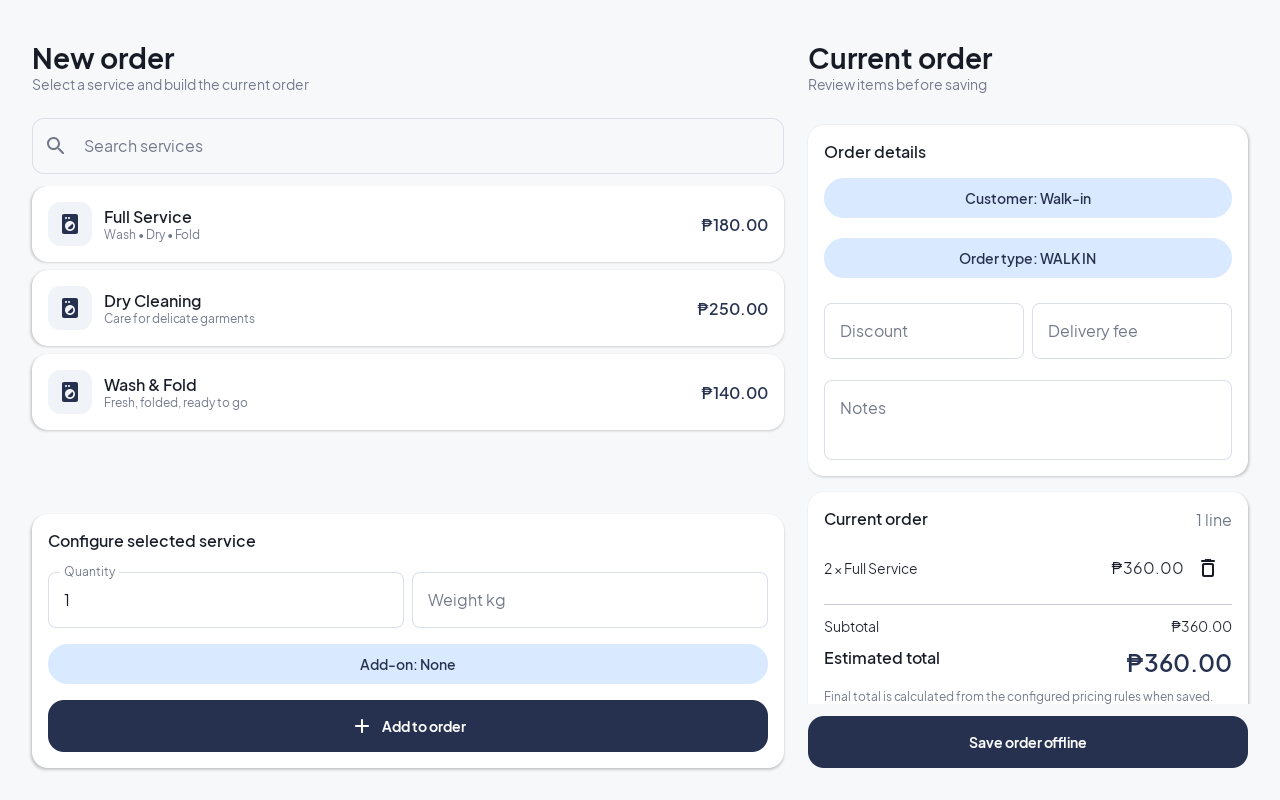
Android tablet captureNew order, arranged for a wider screenThis screenshot was rendered from the Android tablet preview. The interactive demo above uses separate sample data in your browser.
AQUAWASH Android tablet screenshot of the New order screen with services on the left and current order details on the right

Interactive actions are browser-only examples and do not update the Android app. Android screenshots and names use illustrative sample records.

Less manual tracking

From notebook to a clearer view of your shop.

Organize the records AQUAWASH supports, all stored locally on the device.

Before

Manual tracking

  • –Handwritten orders
  • –Manual totals and balances
  • –Customer details in separate notebooks
  • –Rechecking payment notes
  • –Searching old transactions
With AQUAWASH

More organized records

  • Digital order queue with statuses
  • Saved transaction totals and balances
  • Customer details in one directory
  • Payment records linked to orders
  • Customer transaction history

AQUAWASH stores business data on the device. Cloud sync is not currently part of the app.

Simple to get started

Simple lang magsimula sa AQUAWASH.

Set up your shop, configure services, then keep orders and transactions together on your Android device.

01

Download the app

Get AQUAWASH for Android from its official store listing once available.

02

Set up your shop

Add your business details, staff PINs, services, and starting records.

03

Activate this device

New installations currently use a signed offline license code tied to the device ID.

04

Manage daily operations

Create orders, track payments, find customers, and review reports.

Activation detail: The current app build uses offline signed codes. Google Play license purchases are not configured in the repository yet.

See the setup flow

Flexible licensing

License details, clearly explained.

We’ll publish exact prices and purchase instructions once the Android billing products are verified.

Configuration pending

1 Month

Price not published

Exact access period not published

Requested license option. Availability, purchase flow, exact period, and terms need confirmation.

  • Requested time-limited option — setup pending
  • No recurring billing code is present in the app
  • Exact duration and included features need confirmation
Review current terms Exact billing and access period require confirmation.
Configuration pending

1 Year

Price not published

Exact access period not published

Requested license option. Availability, purchase flow, exact period, and terms need confirmation.

  • Requested time-limited option — setup pending
  • No recurring billing code is present in the app
  • Exact duration and included features need confirmation
Review current terms Exact billing and access period require confirmation.

The Android app currently validates signed offline license codes. Google Play Billing products and these three license options are not configured in the app source.

Questions before you start

Good to know before using AQUAWASH.

Clear answers about app setup, data, and licensing as it works today.

Visit the full FAQ
Subscription ba ang AQUAWASH?

The current Android source does not implement a recurring subscription or Google Play purchase flow. New installations currently use an offline signed activation code.

Saan naka-store ang shop records?

Business records are stored locally on the Android device. Cloud sync is not currently implemented.

Ano ang kailangan para makapag-start?

An Android device running Android 8.0 or newer, plus shop setup and activation for a new installation.

For your everyday operations

Less paperwork. More control sa laundry business mo.

Mas madaling mag-manage ng orders, payments, at daily operations kapag organized ang business records.

Download AQUAWASH View license detailsStore and license details are shown only when verified.